
Most business owners assume their website is safe as long as they click “Update” whenever WordPress flags a new core release or plugin patch.
Keeping your WordPress dashboard clean is good hygiene, but it only covers half of your stack.
November 19, 2026 was a sharp reminder of that for anyone running WordPress or custom PHP. On the same day, two big things happened:
- PHP 8.6 officially launched: PHP.net and Zend confirmed the new major release is out, with security support locked in through December 31, 2030.
- 18 security vulnerabilities were patched at once: The PHP team pushed urgent fixes across all active branches (8.5.13, 8.4.28, 8.3.37, and 8.2.36) to close 18 CVEs—including 7 critical bugs rated up to CVSS 9.2, as reported by Patchstack and BleepingComputer.
Here is the catch for business owners: none of those 18 bugs live inside WordPress. They live in the PHP engine underneath it.
1. Why Updating WordPress Doesn’t Fix PHP Flaws
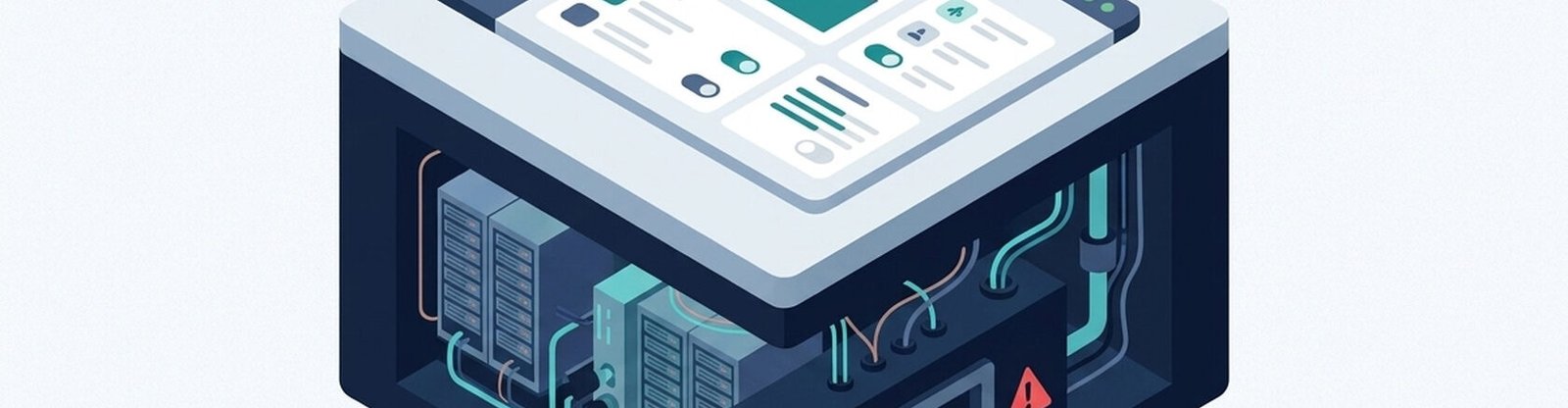
Think of WordPress as the interior of your office—the locks on the front door, the reception desk, and the cameras. PHP is the foundation and wiring underneath the building. Updating WordPress 7.1.5 fixes your application code, not a flaw in PHP 8.5, 8.4, 8.3, or 8.2. Only your hosting provider or server admin can patch that layer.
Two bugs from the November 19 disclosure are especially risky for WordPress sites:
- CVE-2026-129289 (PHP-FPM Request Smuggling): Every WordPress REST API call uses
php://inputto read incoming data. According to Patchstack and Upwind, if your server runs a front-end proxy with FastCGI keep-alive turned on alongside an unpatched PHP-FPM build, an attacker can smuggle requests to trigger unauthenticated Remote Code Execution (RCE)—taking over the server without a login. - CVE-2026-129496 (Timezone Cache Use-After-Free): Even basic server logging isn’t safe. Patchstack noted that servers using file-based
error_loghandling can hit memory corruption bugs when running outdated PHP builds.
2. What PHP 8.6 Actually Changes for Your Team
Patching security holes is the immediate priority, but moving up the PHP ladder also makes custom code faster and easier to maintain. Based on early breakdowns from Phoronix and Atyantik, PHP 8.6 brings a few practical upgrades:
- Faster multi-stream I/O: A new native Polling API built on
epollandkqueuecuts server overhead for high-traffic apps juggling simultaneous API calls, webhooks, or live dashboards. - Cleaner everyday code: Additions like Partial Function Application (
?), a nativeclamp()function,readonlyproperty defaults, and a built-in\Time\Durationclass let developers write safer business logic with less boilerplate. - A clearer upgrade runway: As xCloud pointed out, security support for PHP 8.2 ends permanently on December 31, 2026. Moving off older branches now keeps you out of a last-minute year-end scramble, while PHP 8.6 gives long-term projects support through the end of 2030.
3. A Quick Checklist Before the Year Ends
You don’t need to be a sysadmin to get this sorted. Send these three checks to your developer or hosting support team before December 31:
- Check your exact PHP sub-version: Open your hosting control panel and confirm your server is running at least PHP 8.5.13, 8.4.28, or 8.3.37 so the November 19 CVEs are actually patched.
- Get off PHP 8.2 before December 31, 2026: If your site is still on any 8.2 build, schedule a move to PHP 8.3 or 8.4+ now before security updates stop completely.
- Review your PHP-FPM and FastCGI setup: Ask your infrastructure team to double-check FastCGI keep-alive rules, PHP-FPM pool settings, and
error_loghandling so bugs like CVE-2026-129289 can’t be abused at the proxy layer.
Keeping Both Layers Solid
Good website security isn’t a plugin you install once—it’s keeping your CMS and your server stack moving together.
Through Dave Creation Web Development, our team builds and maintains custom web apps and WordPress platforms designed to stay fast and secure from the server up. You can find more practical breakdowns on performance and security on the Dave Creation Blog.
Not sure if your host has patched CVE-2026-129289, or worried a PHP jump might break older plugins? Reach out via the Dave Creation Contact Page before December 31 for a host-level security check and a zero-downtime PHP upgrade.
Frequently Asked Questions (FAQs)
1. I updated to WordPress 7.1.5. Am I protected from CVE-2026-129289?
No. WordPress updates only touch your CMS files. Because CVE-2026-129289 happens inside PHP-FPM when handling php://input at the server level, your host or server admin has to update PHP itself to a patched build (such as 8.3.37, 8.4.28, or 8.5.13).
2. Should my business jump straight to PHP 8.6 right now?
Probably not for a production WordPress site just yet. While PHP 8.6 brings great speed improvements and support until December 31, 2030, third-party WordPress plugins usually need a few months to catch up to a brand-new major release. Moving to a patched PHP 8.3 or 8.4 build gives you full CVE protection today without risking plugin conflicts.
3. How do we upgrade PHP without breaking a live store or business site?
Never test a major PHP jump on your live site. At Dave Creation, we clone your site to an isolated staging server, switch the PHP version there, test every checkout flow, form, and API call, clean up any deprecated code warnings, and then push the change live with zero downtime.
Leave a Comment